How to Make UGC-Style Product Ads With AI
Make a UGC-style product ad: a presenter from Character Studio, a product image, and one prompt in Video Studio with Seedance 2.5 or Wan 3.0. Costs checked 23 November 2026.
Tutorial
To make a UGC-style product ad with AI, build your presenter once in Character Studio, get a clean product image, then generate the whole ad in Video Studio with Seedance 2.5 or Wan 3.0. Reference both images in your prompt and type what the presenter says. Add a short voice sample if you want the same voice in every ad. Every Pika app is on every plan, Free included, and no plan adds a watermark.
What does a UGC-style ad need?
A UGC-style ad looks like a creator's post: a person talking to camera with the product in shot. You need two images and one prompt. The voice sample is optional.
| What you need | Where it comes from |
|---|---|
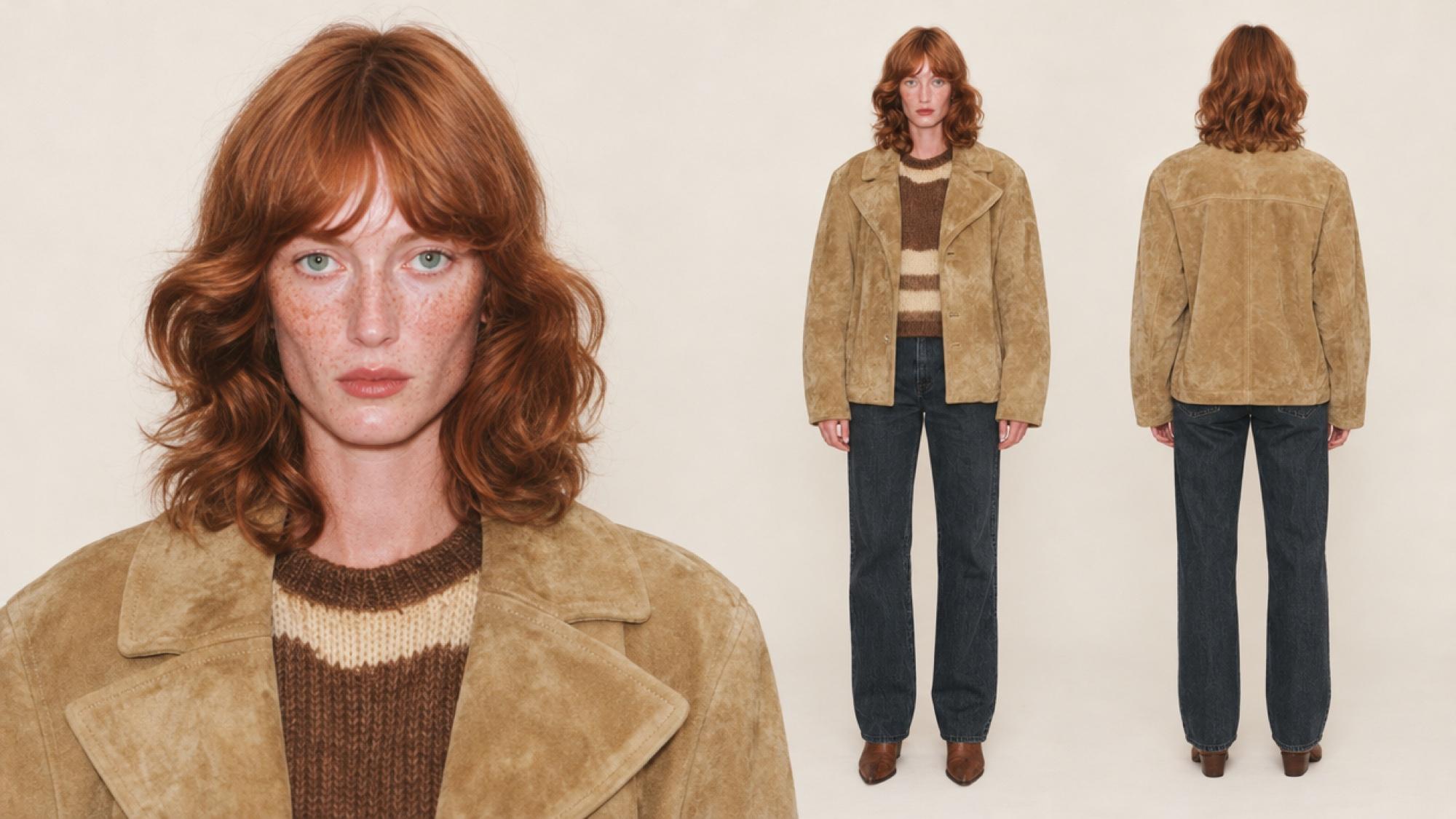
| A presenter | A character sheet from Character Studio, reused in every ad |
| A product image | Your own photo, or a clean shot on a white background from Product Shot |
| The video | Video Studio with Seedance 2.5 or Wan 3.0: one prompt gives you the shots, the speech and the lip sync |
| A consistent voice (optional) | One short voice sample, used as an audio reference |
How do you build your presenter?
- Open Character Studio. Describe the person: hair, face, clothes, the kind of creator they are.
- Generate a character sheet. A close-up and full-length views from the front and back give the video model the same person from every angle.
- Keep the sheet. It is your presenter for every ad you make. You can also use a photo of yourself.
What product image do you need?
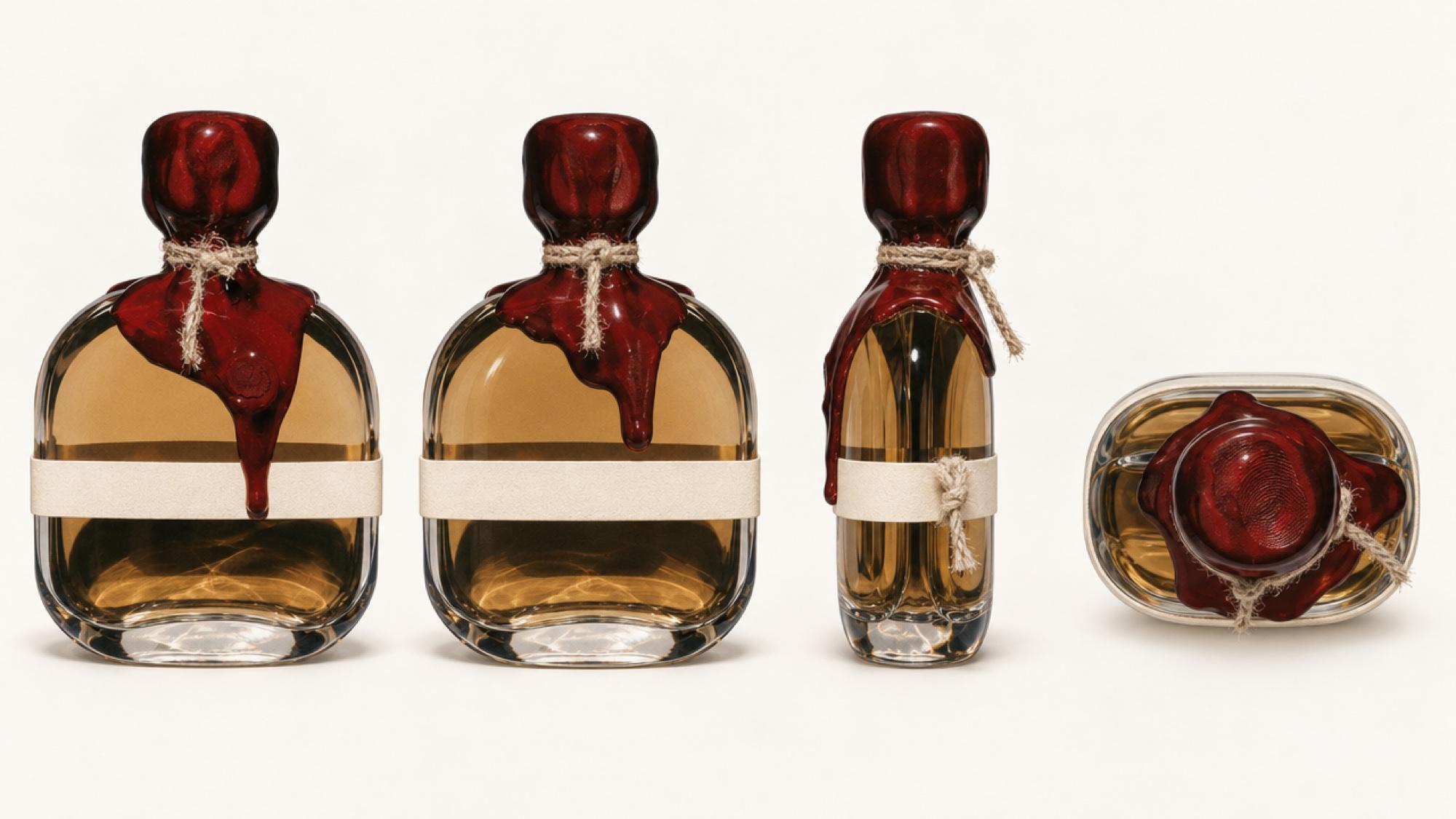
If you already have a clear photo of the product, you are ready. If not, make one in Product Shot on a plain white background. The whole product should be large in frame, with nothing else in shot, so the model copies its shape and colour.
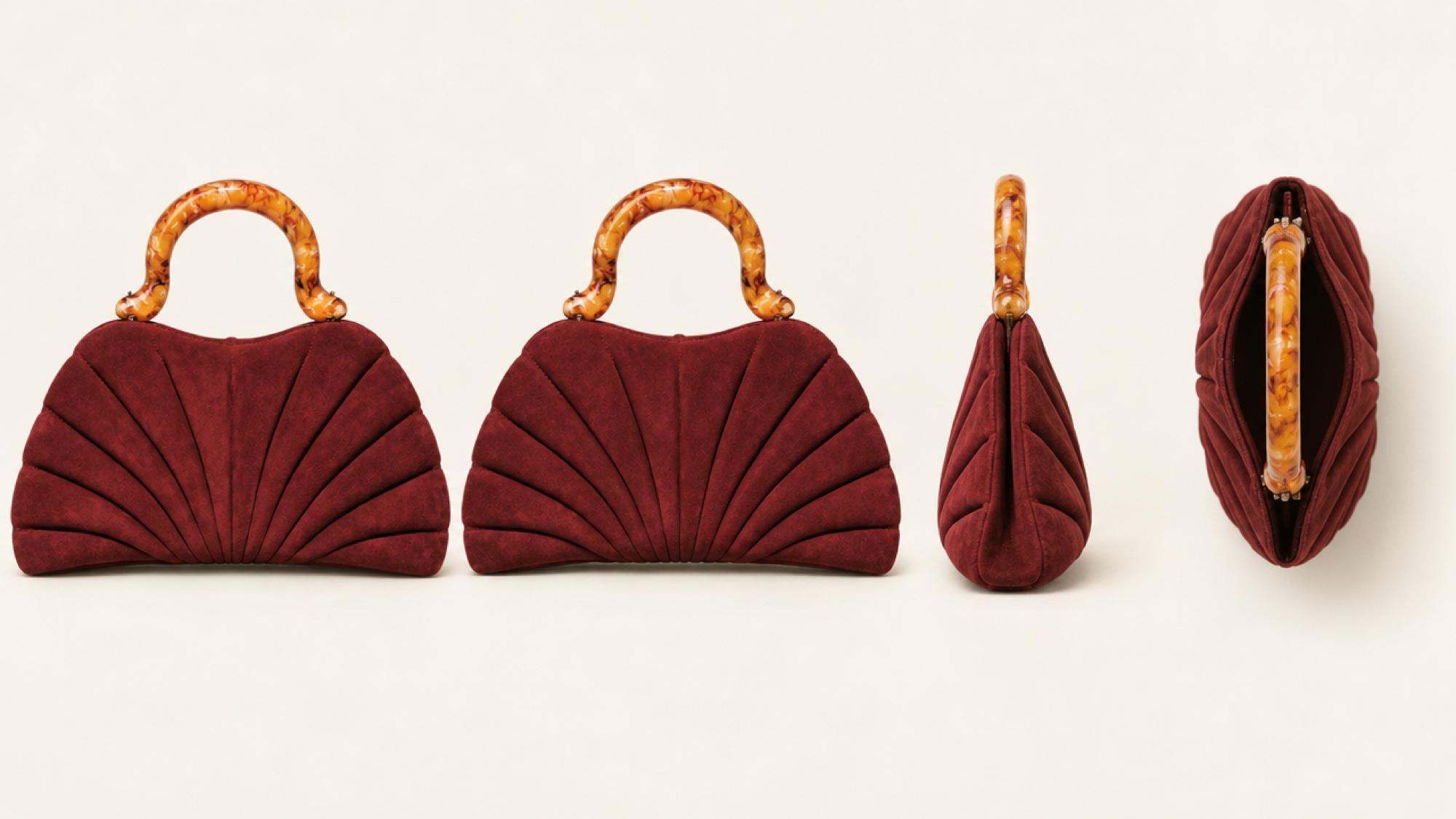
How to Create Styled Product Photos Without a Photoshoot covers Product Shot in more detail.
How do you make the ad in Video Studio?
- Choose the model. Pick Seedance 2.5 or Wan 3.0. Set 9:16 for a vertical ad and choose the length.
- Add your references. Add the product image and the character sheet. In the prompt they are @Image1 and @Image2, in the order you added them.
- Write the prompt. Describe the setting, each shot and what the presenter does. Put every spoken line in quotation marks.
- Generate and review. Check the product, the face and the lip movement, then adjust the prompt for another version.
A prompt you can adapt:
UGC-style vertical video, filmed like a creator's own phone video in a bright apartment, handheld. @Image1 is the product: keep its exact shape and colour in every shot, with no logo or text. @Image2 is the presenter: the same one person in every shot. Selfie framing: she holds the bag up beside her face and says: "Okay, I need to show you this bag." Cut to a close shot of the bag on a wooden table as her hand runs across it. She says: "It goes with everything I own." Back to selfie framing, she smiles and says: "I'm keeping it." Natural voice with synchronised lip movement, no music, no captions.
The same character sheet with a different product, made with Wan 3.0 for 98 credits:
Write the lines the way a creator would say them. They need four beats:
- A first line that names who the ad is for.
- The problem in one sentence.
- The product doing the job.
- One thing to do next.
Read the lines aloud before you generate. If you stumble, the presenter will too. Around 30 spoken words fit in 15 seconds.
How do you keep the same voice in every ad?
Add one voice sample as an audio reference. You do not need to record or generate the whole script: the model speaks the lines you typed in the prompt, in the voice of the sample.
- Get a voice sample. Ten seconds of clear speech is enough. Make one in Speech Studio, or use a recording you have the right to use.
- Add it to Video Studio. In the prompt it is @Audio1. Write "she speaks in the voice of @Audio1".
- Reuse it. Use the same sample with the same character sheet in every ad, and the presenter sounds the same each time.
Do you need captions?
Captions are optional. If you want words on screen, upload the finished ad to Dynamic Captions, pick a style, then proofread names and product terms.
What does a batch of ads cost?
Video Studio shows its credit quote before you generate, and the cost depends on the model, resolution and length. The table uses the 5-second prices on Pika's pricing page. A 15-second vertical ad at 720p was quoted at 401 credits on Seedance 2.5 and 98 on Wan 3.0 on 23 November 2026.
| Model | Clip | Credits per clip | Cost per clip on Starter | Clips from 600 monthly credits |
|---|---|---|---|---|
| Pika H3 Flex | 768p, 5s | 10 | about $0.17 | 60 |
| Pika 2.5 | 720p, 5s | 20 | about $0.33 | 30 |
| Seedance 2.0 Mini | 720p, 5s | 40 | about $0.67 | 15 |
| Seedance 2.5 | 720p, 5s | 122 | about $2.03 | 4 |
| Wan 3.0 | 720p, 5s | 33 | about $0.55 | 18 |
| Kling 4.0 | 1080p, 5s | 118 | about $1.97 | 5 |
Starter costs $10 for 600 credits, which is 60 credits per $1. Cost per clip is credits divided by 60. Clip counts are from Pika's pricing page, which rounds down.
| Plan | Price a month | Credits a month | Commercial licence |
|---|---|---|---|
| Free | $0 | None, credit packs only | No |
| Starter | $10 | 600 | Yes |
| Creator | $35 | 2,600 | Yes |
Prices checked 22 November 2026 on pika.art/pricing.
How does that compare with a studio? This guide does not quote a studio fee, because studio prices change with crew, usage and territory. Get a written studio quote, then set it beside the credit estimate Pika shows before you generate.
What are the limits?
- An AI presenter is not a customer. Do not pass the ad off as a real review or testimonial.
- Longer clips and higher resolutions cost more. Read the quote for your settings before you generate.
- The model can drift from your references. Check that the product keeps its shape and the presenter keeps one face in every shot.
- Every result is a generation. Check hands, product labels, text on screen and lip movement before you publish.
- Free has no monthly credits, so you buy a credit pack to generate. A credit pack does not add a commercial licence.
- Upload only products, faces and audio you have the right to use.
FAQ
What is a UGC-style ad? A short ad that looks like a creator's post: a person talking to camera about a product, often with captions on screen.
Can Pika make a product ad from one photo? Yes. Add the product photo as a reference in Video Studio, add a character, and describe the ad in the prompt.
Do I need to generate the voiceover separately? No. Type the lines in the prompt. A voice sample is only needed if you want the same voice across ads.
Can I use my own face and voice? Yes. Use a photo of yourself as the character reference and a recording of your voice as the audio reference.
Does Pika add a watermark? No. No Pika plan adds a watermark, Free included.
Can I run the ad as paid work? The commercial licence starts with Starter at $10 a month (prices checked 22 November 2026). Free does not include one.
How much does one ad cost? Video Studio shows a credit quote before you generate. The table above gives published prices for 5-second clips on several video models.
Make it happen here: Video Studio